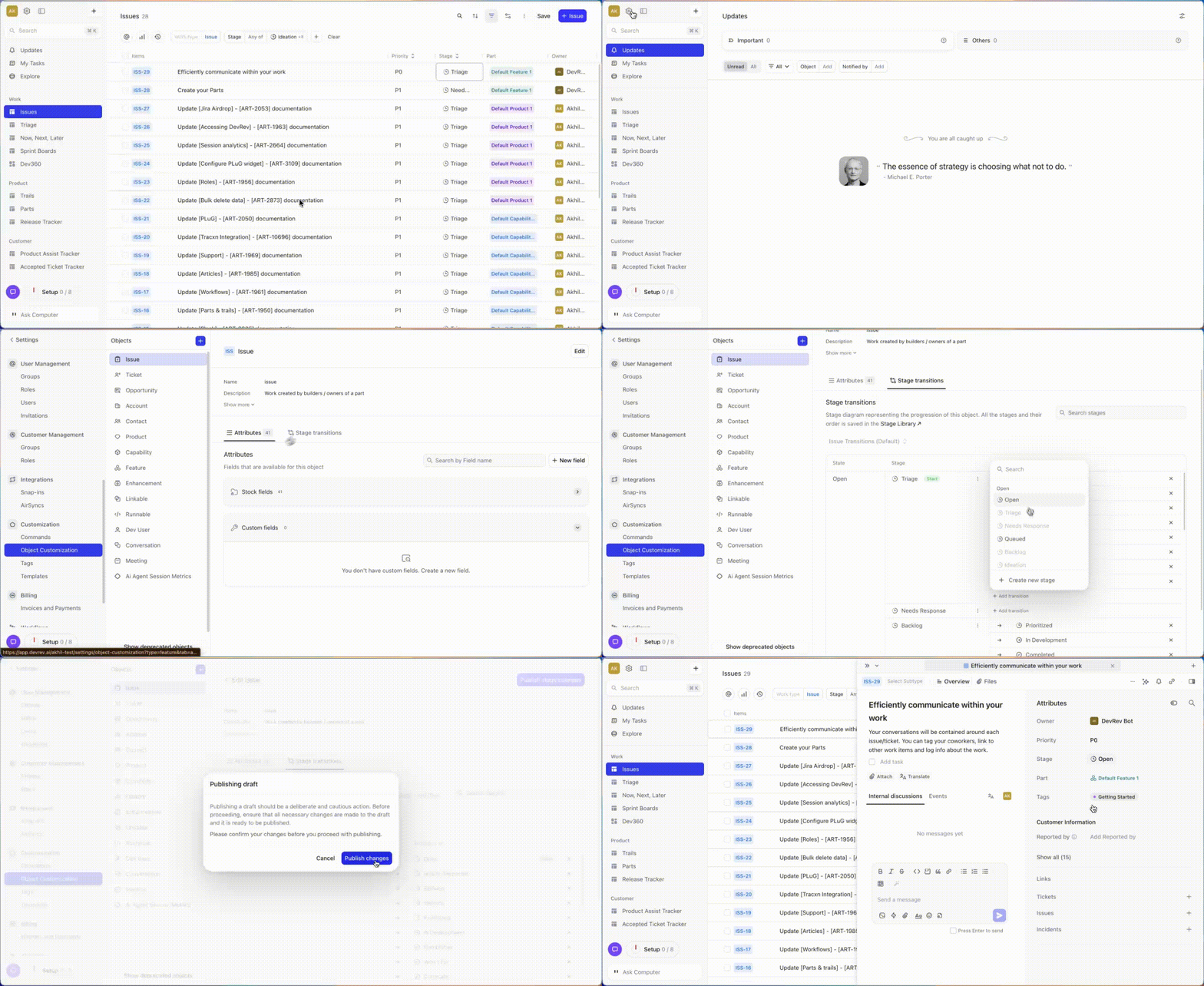
Stage customization is now fully self-serve. Admins can create stages, build diagrams, and assign them to objects all from a single screen without needing to navigate between multiple tabs or request support.
Setting up stages in DevRev used to mean jumping between multiple screens. It worked, but it wasn't ideal. We've redesigned the experience from the ground up to be faster, more intuitive, and fully self-serve for admins who regularly configure their DevRev environment.
Here's what's new and why it matters.
Stay focused with inline stage creation
You can now create and manage stages directly within the object customization page. Everything you need is in one place, so you spend less time navigating and more time actually getting things done.
Need to add a new stage? Just create it on the spot without leaving your current screen. The stage appears immediately and you can continue configuring without missing a beat. This is especially useful when you're in the middle of setting up a complex object and realize you need an additional stage that doesn't exist yet. Instead of stopping to go create it elsewhere, you simply add it inline and keep moving.
Configure faster with a unified interface
What previously took three separate screens now happens in one. You can set up stages, build your diagram, and assign it to the relevant object all from a single view. This consolidated approach means you maintain full context throughout the entire process and complete configurations independently, without relying on anyone else.
When you're configuring a new object type for your organization, the time savings add up quickly. You're no longer mentally tracking where you left off or which tab you need next. Everything flows naturally from one step to the next. And when you need to revisit a configuration weeks or months later, the unified interface makes it much easier to pick up where you left off and understand the current setup at a glance.
Understand object relationships at a glance
The updated design gives you clear visibility into how stages and stage diagrams apply across objects and subtypes. You can immediately see what's inherited from parent objects, what's been customized for specific subtypes, and where you have flexibility to make changes.
This clarity is particularly valuable for organizations with complex object hierarchies. When you're managing multiple subtypes, knowing exactly which stage diagram applies to which object removes a lot of the guesswork. You can confidently make changes knowing exactly what will be affected.
Less friction, more control
We built this update to put admins in the driver's seat. You have everything you need to configure stages independently, from start to finish, without switching screens or depending on anyone else. Whether you're setting up stages for the first time or fine-tuning an existing configuration, the new experience is designed to get you there faster.